

Huddle
Start a quick voice or video call
What you can do
Leader mode
Assign a leader and everyone follows their app view. Perfect for teaching, walkthroughs, and guiding someone through a process.
Talk now
Move from async discussion to voice or video when it will save time.
Mix in other apps
Open Paperly, Whiteboard, or any app alongside the call. Whatever your call needs, the apps are right there.
Questions
Do I need to schedule a Huddle?
You don't have to. Huddle is designed for quick calls you can start anytime. But if you want to plan ahead, just drop the space link into your calendar event. Spaces are long-lived. They don't expire like a one-off meeting link. Reuse the same link and pick up right where you left off.
Can I share my screen too?
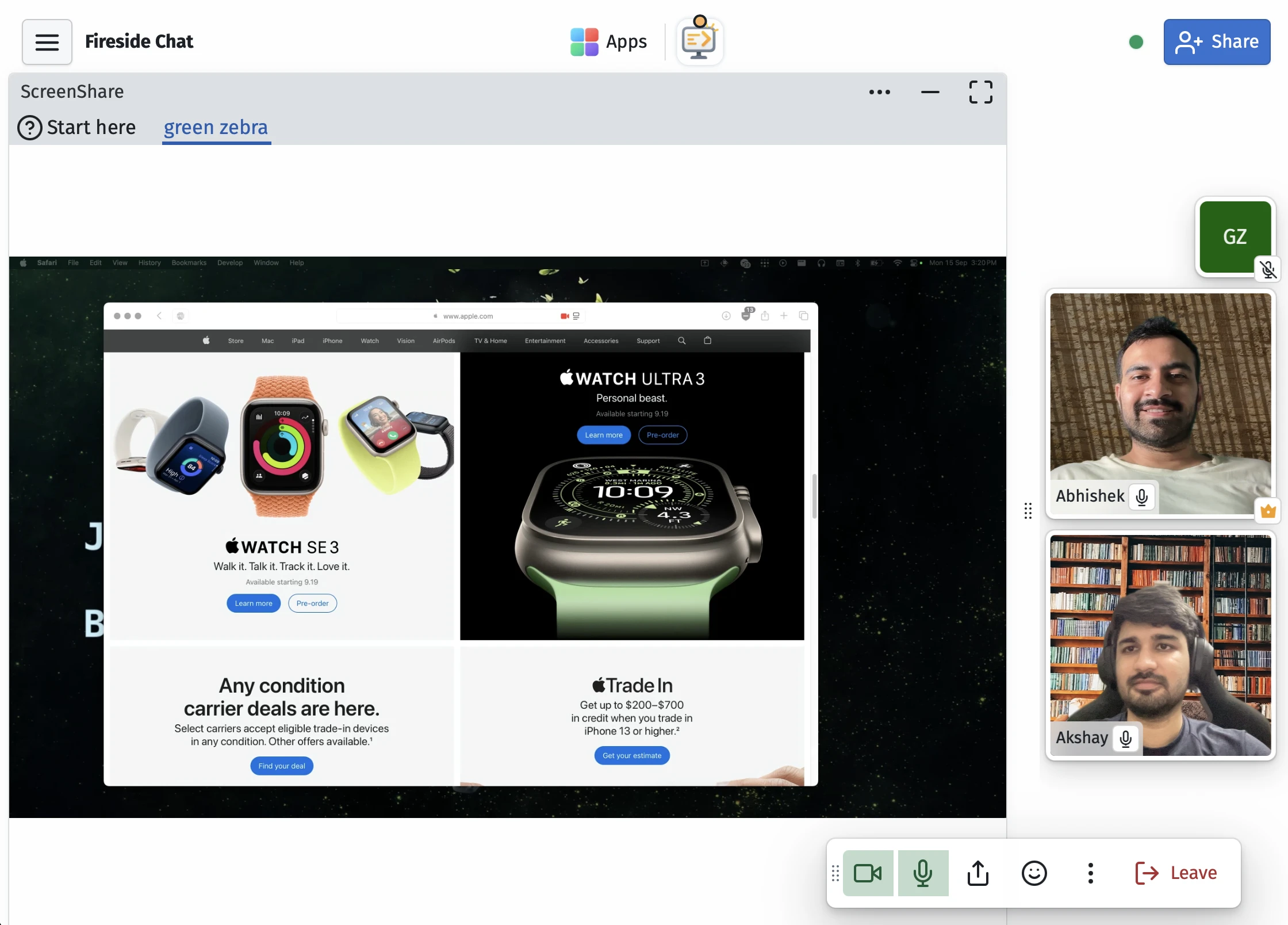
Yes. ScreenShare is built into Huddle. You can present your screen right from the call. Multiple people can share at the same time.
What is leader mode?
Hover on someone's tile and click the crown icon, then 'Make lead.' A crown appears next to their name and whatever app they're focused on in the space becomes the shared view for everyone in the Huddle. Perfect for teaching, guiding a customer through a setup, or keeping everyone on the same page.
How many people can join?
It's designed for a team, a classroom, or a few people working together. Not meant for webinars or large audiences. Check the collaborator FAQ above for plan limits.
Can I take notes or use a whiteboard during a call?
Now you're thinking like a SupaKit user. Open Paperly, Whiteboard, or any other app in the same space and work alongside the call. Mix and match whatever your call needs.
Can I control someone else's computer?
No. Remote control isn't allowed. ScreenShare is view-only.
Who can join the call?
People with access to the space can join. Treat a shared space link like a meeting-room link.
Is my mic or video on by default?
No. Both are off by default. Everyone has to toggle them on or off by themselves.
How do I share my space?
In your open space, click the blue share button at the top right. From there, select an access level (editor or view-only), then copy the invite link or show a QR code. You can regenerate the link anytime to invalidate previous ones.
Share with colleagues, students, or friends. They don't need to be in your organization.
Do my collaborators need an account?
No. Share the invite link from your space and they can join right from their browser as a guest, or by signing in with Google or Email. They don't need a paid plan to collaborate with you.
Is my data private?
SupaKit is designed to be privacy focused. Content in your spaces is end-to-end encrypted between participants. We recommend setting your own keychain password in Settings after creating your account. Read our security page for more details.
Do I need to install anything?
No. SupaKit runs in your browser. It opens with a link, no downloads or installs, for you or anyone you share a space with. You can pin it to your dock or home screen for quicker access and a dedicated window. It stays safely sandboxed in your browser.
Can I control space access for collaborators?
Yes. You can control this from the share button at the top right of your space, where you'll see all collaborators and their access levels. Each person can either have full write and edit access, or view-only, meaning they can see everything but can't make changes.
How many collaborators can I have?
For apps that involve streaming (e.g. Huddles, Screenshare, CloudBrowser) active participants are capped at about 5 per space on Standard, and up to 10 on Pro. For everything else, you can have quite a few more collaborators in a space without hitting limits.
We're still experimenting with these knobs. SupaKit is designed for active collaboration among smaller groups, not webinars or large calls. It may be able to handle a large number of participants, but the experience is tuned for smaller groups, whether that's a team, a classroom, a workshop, or a few people working together.
Limits are based on sustained usage, not occasional bursts. If you go over briefly, it won't be an issue.