
NanoCode
A lightweight code editor for quick experiments and saving/sharing snippets.
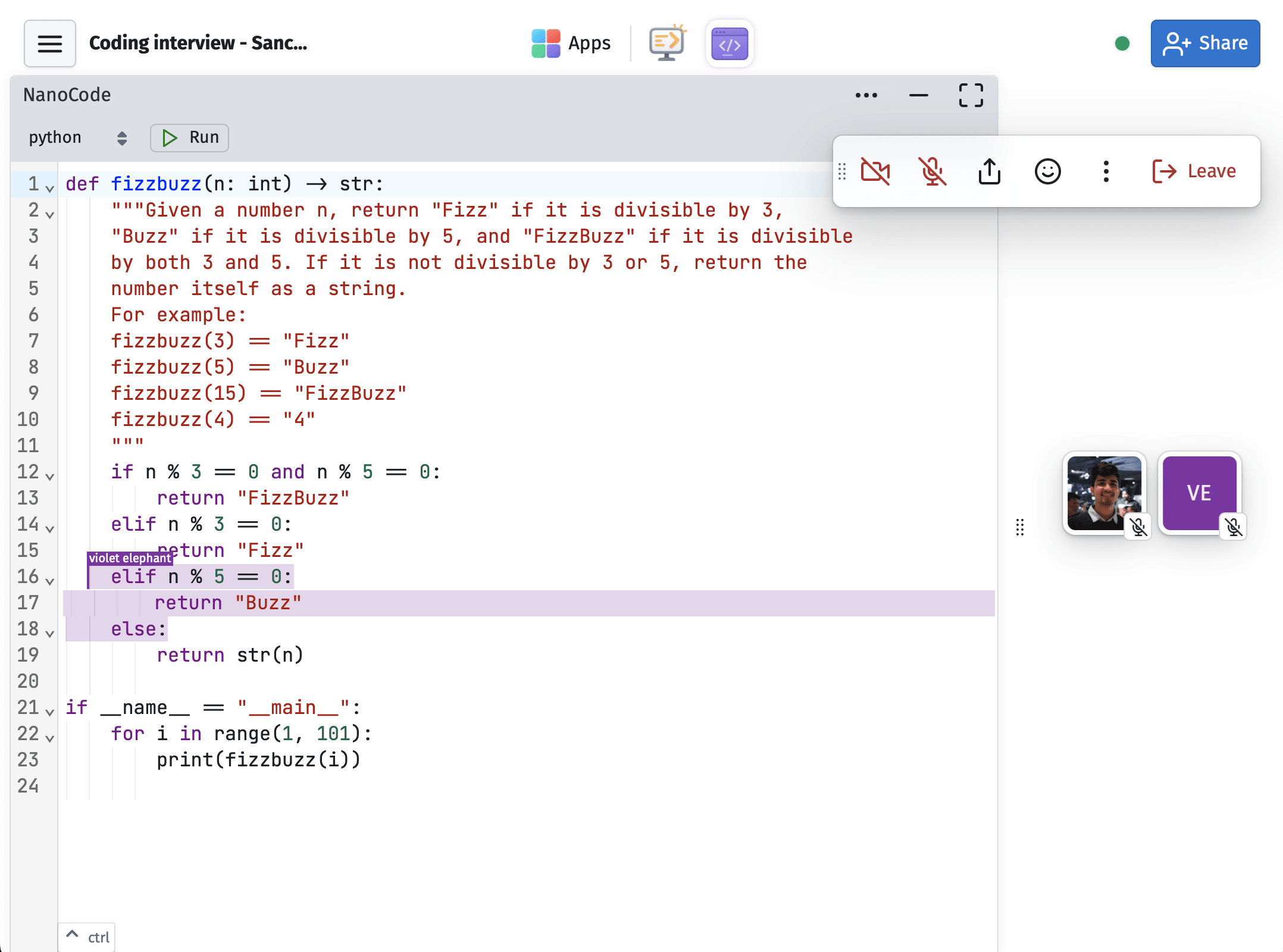
What you can do
Lightweight editor
For single-shot programs, snippets, and quick edits. Multiple syntaxes. Save, store, and share code privately with your space. A secure pastebin when you need one.
Run and see results
Execute code, try single-file HTML apps, experiment with SQLite, or work through an interview problem. Runs are capped at 10 seconds.
Generate, rewrite, fix
Use AI to rewrite parts of your file, generate a full file from an instruction, or fix an issue. Handy for text generation, small programs, and quick edits.
Questions
Is NanoCode a replacement for a full local IDE?
No, it's intentionally lightweight. Best for snippets, experiments, shared sessions, and work that doesn't need a full local environment.
Does it have AI assist?
Yes. Select some code and press cmd. to edit the selection, or select all and press cmd. to rewrite the whole file. Good for quick generation and fixes.
Can I export my code?
Yes. Press cmdS to instantly download your code. Works just like Paperly and other apps.
Can NanoCode run code?
Yes, for supported languages. Runs are limited to 10 seconds, which keeps it suited to small examples and exercises.
Can running code access the internet?
Your programs may not access the internet unless you're on a paid plan.
Does it work offline?
Your content from previous visits will generally be available. New content generation and cloud-dependent features may be limited. Editing shared spaces while offline isn't recommended, especially if others are collaborating in them. For personal spaces, you should be fine.
How do I share my space?
In your open space, click the blue share button at the top right. From there, select an access level (editor or view-only), then copy the invite link or show a QR code. You can regenerate the link anytime to invalidate previous ones.
Share with colleagues, students, or friends. They don't need to be in your organization.
Do my collaborators need an account?
No. Share the invite link from your space and they can join right from their browser as a guest, or by signing in with Google or Email. They don't need a paid plan to collaborate with you.
Is my data private?
SupaKit is designed to be privacy focused. Content in your spaces is end-to-end encrypted between participants. We recommend setting your own keychain password in Settings after creating your account. Read our security page for more details.
Can I use it solo, without collaborators?
Absolutely. We use it that way ourselves, mostly for our own notes, travel-plans, projects, and whatever we're building. Collaboration is there when you need it or want to share it.
Do I need to install anything?
No. SupaKit runs in your browser. It opens with a link, no downloads or installs, for you or anyone you share a space with. You can pin it to your dock or home screen for quicker access and a dedicated window. It stays safely sandboxed in your browser.
Can I control space access for collaborators?
Yes. You can control this from the share button at the top right of your space, where you'll see all collaborators and their access levels. Each person can either have full write and edit access, or view-only, meaning they can see everything but can't make changes.
How many collaborators can I have?
For apps that involve streaming (e.g. Huddles, Screenshare, CloudBrowser) active participants are capped at about 5 per space on Standard, and up to 10 on Pro. For everything else, you can have quite a few more collaborators in a space without hitting limits.
We're still experimenting with these knobs. SupaKit is designed for active collaboration among smaller groups, not webinars or large calls. It may be able to handle a large number of participants, but the experience is tuned for smaller groups, whether that's a team, a classroom, a workshop, or a few people working together.
Limits are based on sustained usage, not occasional bursts. If you go over briefly, it won't be an issue.